Check
Enter total load, maximum working radius and minimum boom-tip height.
Enter the load, radius and required height. CS Lifting checks your fleet, identifies suitable configurations and produces an indicative planning drawing instantly.
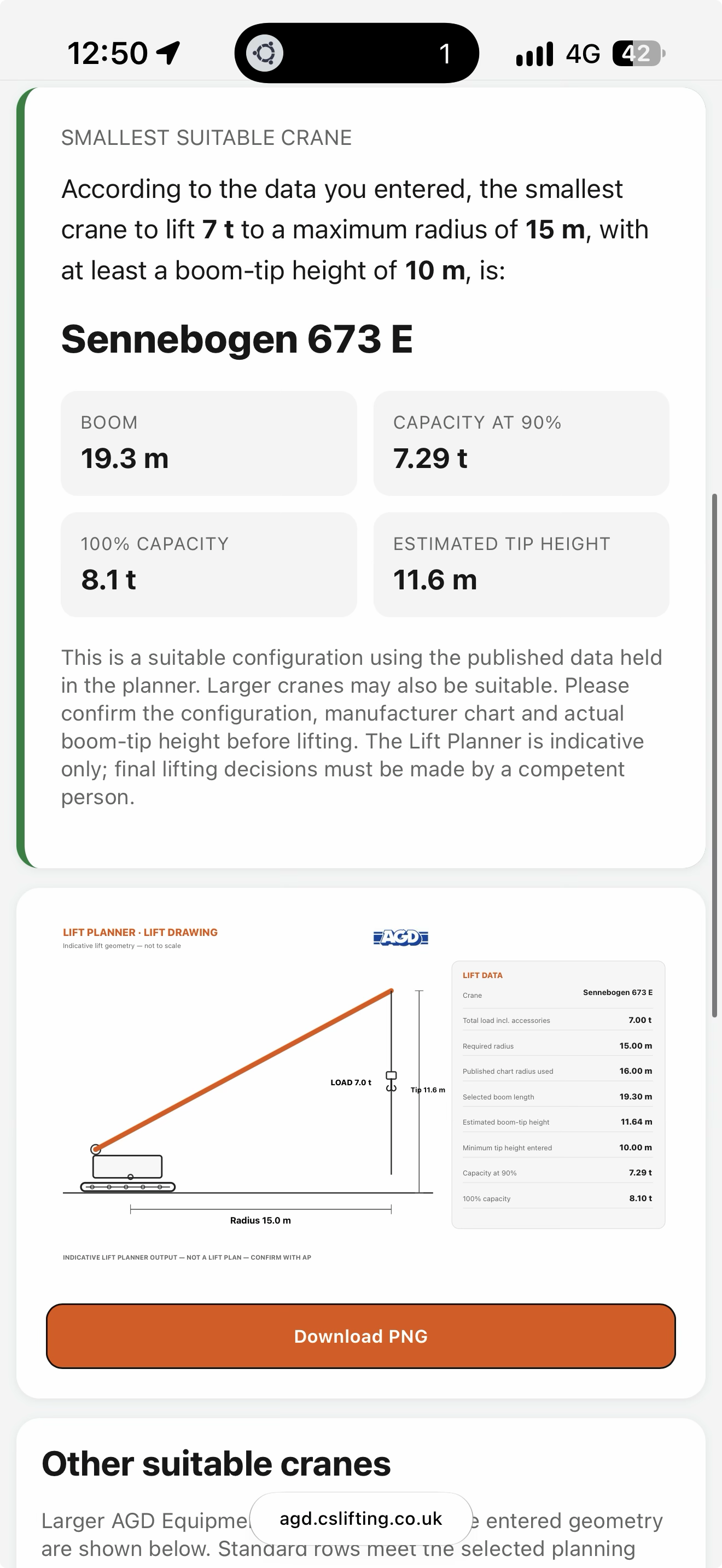
Designed to make the first stage of crane selection quick enough for customers and practical enough for teams who work with cranes every day.
Enter total load, maximum working radius and minimum boom-tip height.
The platform checks those requirements against the crane data in your company's fleet.
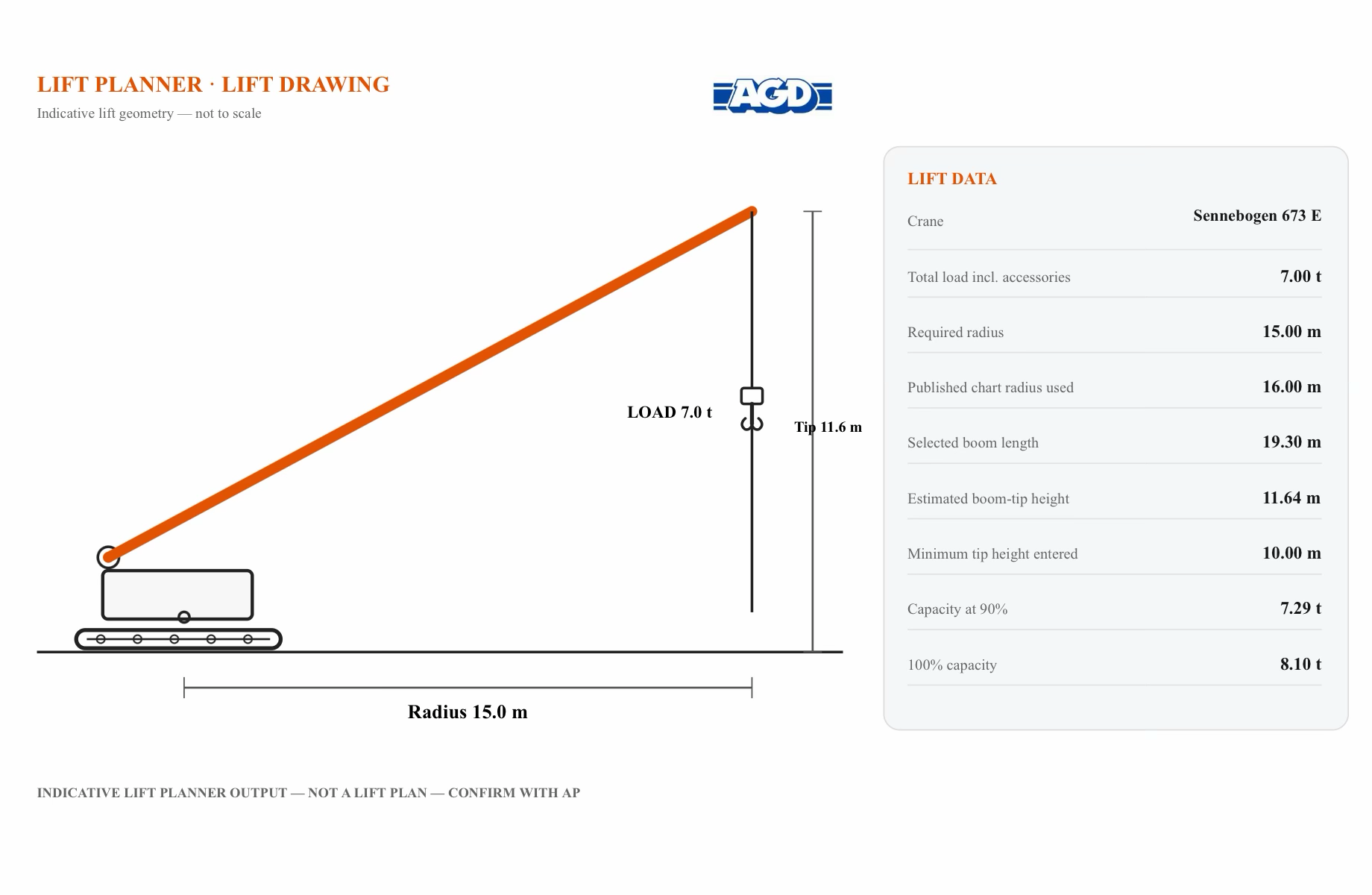
Review suitable configurations and an instant basic planning drawing for the selected crane.
Indicative planning output only. Final lifting decisions remain with the competent person / Appointed Person.
Turn a lift check into a clear visual in seconds.
Customers can generate an indicative drawing themselves and send it with an enquiry. Your team can create one while they're still on the phone. Either way, everyone is looking at the same lift.
Indicative planning output only. Not a lift plan and not a substitute for an Appointed Person.
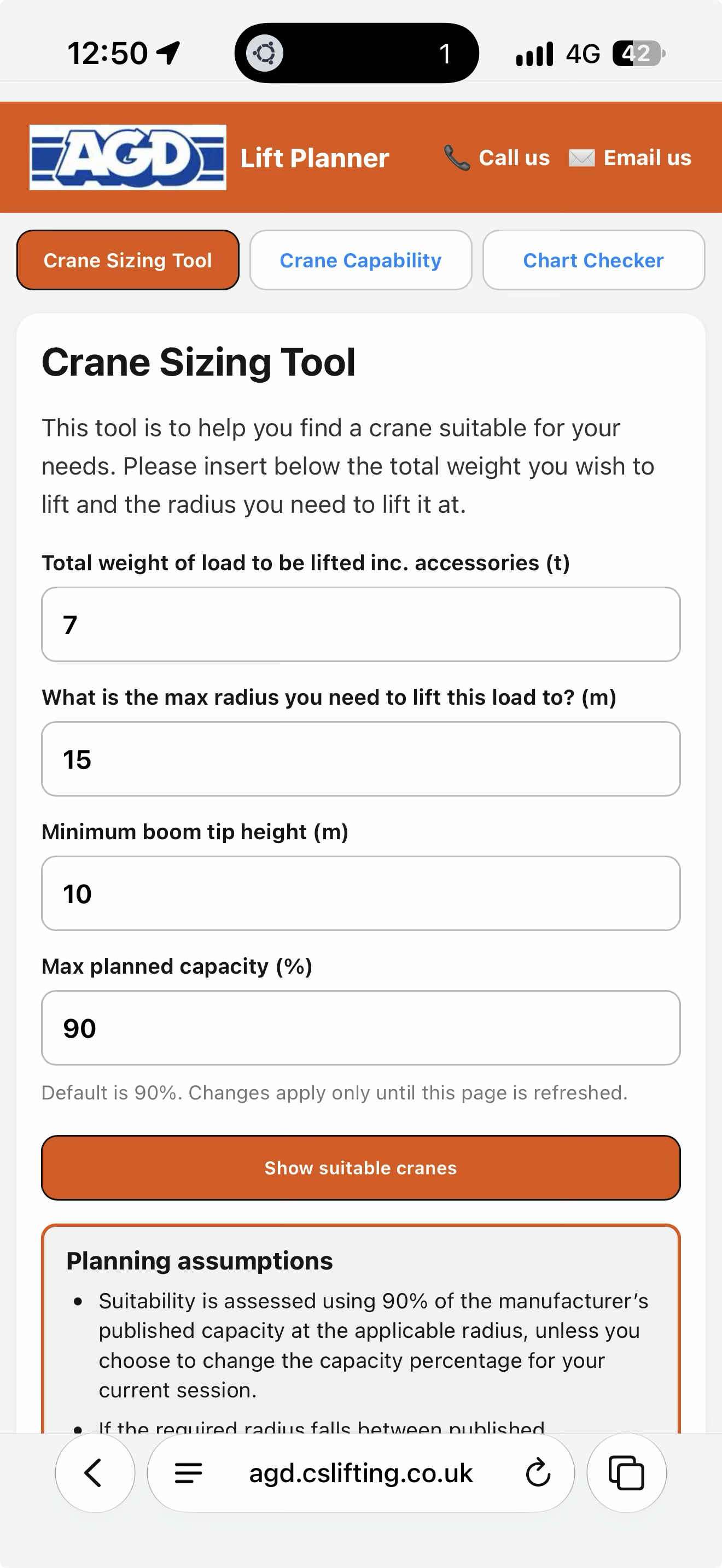
Set the maximum planned capacity once and every recommendation is assessed against it. Use 90% as your normal planning limit, or switch to 80%, 75% or another project requirement when working around a sensitive asset with a mandated derate.
Because “it does it at 100%” isn't much of a planning strategy.
One setting. Applied automatically across the suitability check.
Customers don't need to use a generic CS Lifting interface. Each environment can carry your company name, logo, colours, fleet and installed-app identity.
Place the planner within your existing website and let customers check a lift alongside your fleet.
Use a dedicated branded page for customers and staff without rebuilding your current website.
Add your branded planner to an iPhone or Android home screen and launch it like an app.
The AGD Equipment environment is live now with 15 cranes and 2,067 published chart points.